
Garage Door Keypads: The Complete Guide to Choosing, Installing, and Troubleshooting
Everything Utah homeowners need to know about keyless garage entry
What’s in This Guide
A garage door keypad lets you open your garage door by entering a PIN code on a small wireless device mounted outside your garage. No remote to carry, no keys to lose, no phone app to fumble with while holding groceries. You walk up, punch in your code, and the door opens.
For families with kids, dog walkers, housecleaners, or anyone who needs garage access without a remote or a spare key, a keypad is one of the simplest and most useful upgrades you can add to your garage door system. They work with virtually every automatic garage door opener manufactured since 1993, they cost very little, and most take less than 30 minutes to install.
This guide covers everything you need to know about garage door keypads: how they work, which type fits your opener, how to install and program one, what to do when it stops working, and how to keep your garage secure. If you want a keypad installed or are having trouble with one, call Advanced Door at (844) 971-3667 for help anywhere in Utah.
What Is a Garage Door Keypad?
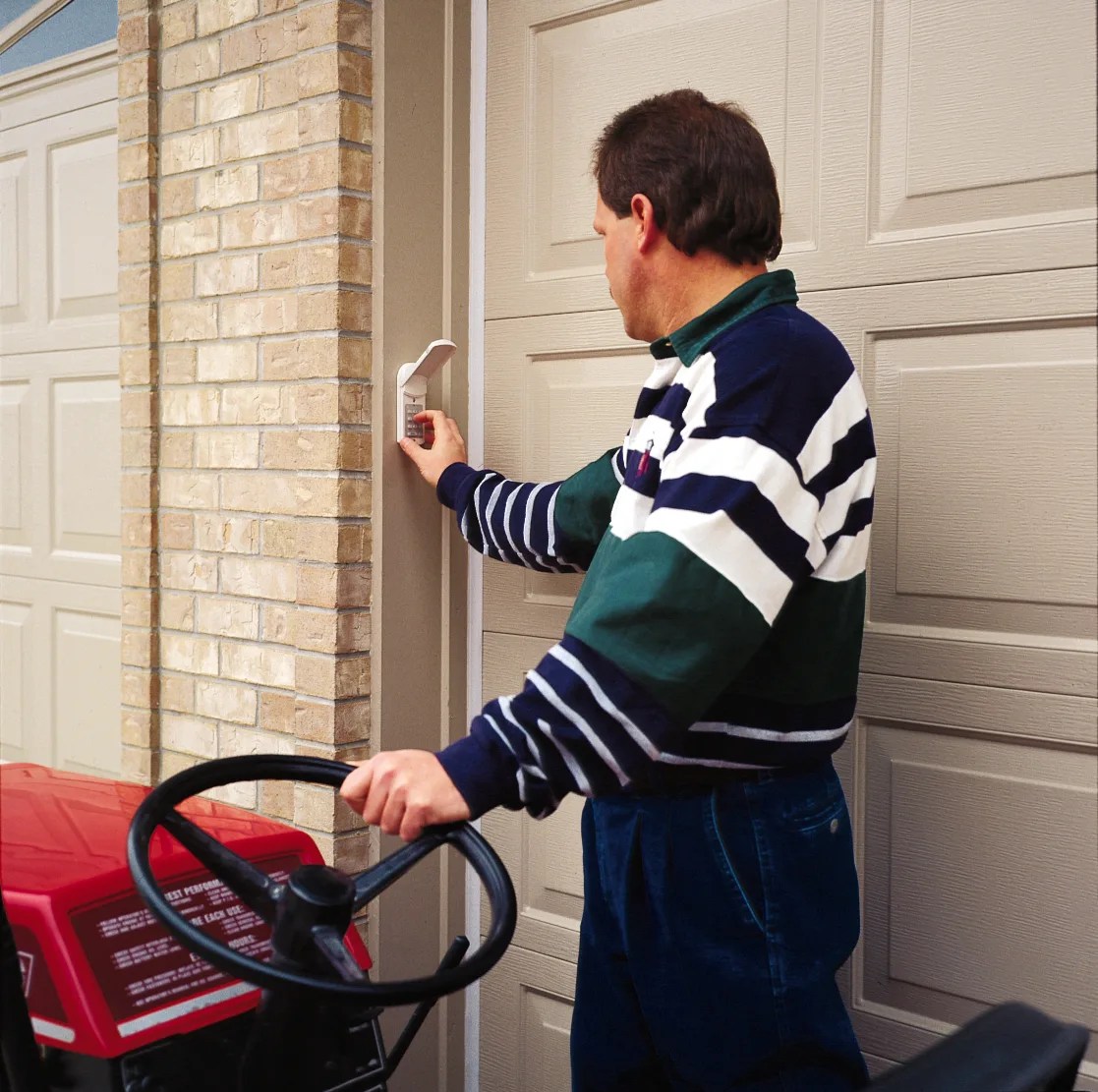
A garage door keypad is a small, weather-resistant wireless device mounted on the outside wall of your garage, typically next to the garage door at about chest height. It connects wirelessly to your garage door opener and sends a signal to open or close the door when you enter the correct PIN code.
The keypad communicates with your opener using the same radio frequency as your remote control. When you enter the correct code and press the enter/send button, the keypad transmits a coded signal to the opener’s receiver. The opener verifies the signal and activates, just as if you had pressed the button on a remote.
Most modern keypads use rolling code technology, which means the transmitted signal changes every time you use the keypad. This prevents anyone from capturing the signal and replaying it to open your door. Older keypads used fixed codes (DIP switches), which were less secure but still functional.
Benefits of a Keypad vs. Remote
No remote to carry or lose. This is the number one reason people add a keypad. If you walk, bike, or jog from your house through the garage, a keypad means you can get back in without carrying a remote or your phone. Kids coming home from school can enter through the garage without needing a key.
Easy guest and service access. You can give your PIN to a dog walker, housecleaner, neighbor, or contractor without handing over a remote or a house key. When you no longer need them to have access, just change the code. Some keypads offer temporary codes that expire automatically after a set number of hours.
Backup entry during power outages. If you keep a manual release key and a keypad with a battery backup, you always have a way into your garage even when the power is out, which happens regularly during Utah winter storms. See our guide to winter garage door problems for more on cold-weather preparedness.
No phone or app dependency. Smart home systems are great until the WiFi goes down or your phone dies. A keypad works on its own battery and radio signal. It does not need internet, Bluetooth, or a smartphone.
Affordable and easy to add. A quality keypad costs very little and installs in under 30 minutes with basic tools. It is one of the highest-value, lowest-cost upgrades for any garage door system.
Types of Garage Door Keypads
There are two main categories:
Brand-specific keypads are made by the same manufacturer as your opener and are guaranteed to be compatible. LiftMaster, Chamberlain, and Craftsman openers all use the same Security+ 2.0 protocol, so keypads from any of those three brands work interchangeably. Genie openers use their own Intellicode protocol and need a Genie-compatible keypad.
Universal keypads are designed to work with most major opener brands regardless of manufacturer. The most popular universal keypad is the Chamberlain KLIK2U-P2, which is compatible with virtually every major brand manufactured since 1993, including LiftMaster, Chamberlain, Craftsman, Genie, Linear, Overhead Door, Stanley, and Wayne Dalton. Universal keypads are a good choice if you are not sure which brand your opener is or if you have multiple openers from different manufacturers.
How to Choose the Right Keypad
The most important factor is compatibility with your opener. Here is how to figure out what you need:
Step 1: Identify your opener brand and model. Look at the motor unit mounted on the ceiling of your garage. There should be a label with the manufacturer name and model number. Common brands in Utah homes include LiftMaster, Chamberlain, Craftsman, Genie, and Linear.
Step 2: Check the frequency. Most modern openers use 315 MHz or 390 MHz radio frequencies. The keypad must match your opener’s frequency. Brand-specific keypads handle this automatically. Universal keypads typically support multiple frequencies.
Step 3: Decide if you need temporary codes. If you regularly give garage access to service providers, housecleaners, or guests, look for a keypad with a temporary access code feature. These codes expire automatically after a set period (usually 1 to 24 hours), so you do not have to remember to change your code after someone uses it.
Installation: DIY vs. Professional
Installing a garage door keypad is a straightforward DIY project for most homeowners. You do not need to touch the garage door, springs, cables, or any high-tension components. The keypad mounts to the outside wall and communicates wirelessly with the opener.
What you need:
- The keypad and its included mounting hardware (usually screws and a bracket)
- A Phillips head screwdriver or drill
- A ladder if you are mounting it higher than arm’s reach
- The battery that came with the keypad (usually a 9V or CR2032)
Where to mount it: The standard location is on the outside wall next to the garage door, about 5 feet off the ground. Choose a spot that is:
- Within 25 to 50 feet of the opener motor unit (check your keypad’s range specifications)
- Protected from direct rain if possible (under an eave or overhang is ideal)
- Accessible but not obvious to passersby (avoid mounting it directly facing the street)
How to Program Your Keypad
Programming varies by brand, but the general process is the same across most manufacturers:
Step 1: Find the Learn button on your opener. This is a small button on the back or side of the motor unit, usually near the antenna wire. On LiftMaster and Chamberlain openers, it is a colored square button (yellow, purple, orange, or red depending on the model year and security protocol).
Step 2: Press and release the Learn button. You have about 30 seconds to complete the next step before the opener exits programming mode. The indicator light near the Learn button will illuminate.
Step 3: Enter your desired PIN on the keypad and press the Enter/Send button. Choose a 4-digit code that is easy for your family to remember but not obvious (avoid 1234, your house number, or birthdate). The opener light will flash or you will hear a click to confirm programming was successful.
Step 4: Test the keypad. Enter the code and press Enter. The door should open. Enter the code again to close it.
Troubleshooting: Keypad Not Working
If your keypad stops responding, work through these checks in order:
1. Replace the battery. This is the cause of the vast majority of keypad failures. Even if the keypad lights up when you press buttons, a weak battery may not have enough power to transmit the signal to the opener. Replace the battery first, always.
2. Check the range. Try standing directly in front of the garage door (closer to the opener) and entering the code. If it works from close range but not from the keypad’s mounted location, there may be interference or the keypad is mounted too far from the opener.
3. Reprogram the keypad. Power surges, lightning strikes, or accidentally pressing the Learn button on the opener can erase the keypad’s programming. Follow the programming steps above to re-pair the keypad with the opener.
4. Check for interference. LED light bulbs in or near the garage can emit electromagnetic interference that disrupts the keypad’s signal. If you recently installed LED bulbs and the keypad stopped working around the same time, try switching back to incandescent temporarily. If that fixes it, replace the LEDs with bulbs rated as garage door opener compatible.
5. Inspect the buttons. If certain buttons do not respond when pressed, moisture or dirt may have gotten inside the keypad. Try pressing each number firmly. If specific digits are unresponsive, the keypad membrane may be worn and the unit needs replacement.
6. Test the wall button and remote. If the wall-mounted button inside the garage and the remote also fail to operate the door, the problem is the opener itself, not the keypad. See our guide to garage doors that won’t open for opener troubleshooting.
Security Tips
A keypad is only as secure as the code you choose and the habits you follow. Here are the basics:
Choose a strong PIN. Avoid obvious combinations like 1234, 0000, your house number, or birth years. Use a random 4-digit code that does not follow a keyboard pattern.
Change your code periodically. Every 6 to 12 months is reasonable. Change it immediately if you gave the code to someone who no longer needs access (a former housecleaner, an old roommate, a contractor whose job is finished).
Use temporary codes when possible. If your keypad supports temporary access codes, use them for anyone who needs one-time or short-term access. The code expires automatically, so you do not have to remember to change it.
Shield the keypad when entering your code. Just like an ATM PIN, cover the keypad with your hand while entering the code if someone is nearby. It takes very little effort to watch someone punch in a 4-digit number from a distance.
Enable vacation mode. Many keypads and openers have a vacation lock feature that disables all remote access (keypads and remotes) while allowing the wall button to still work. Use this when you are away for an extended period.
Get a Free Estimate from Advanced Door
Need a keypad installed or an opener upgrade? We handle it all.
Serving Ogden, Salt Lake City, Provo, Park City, Logan, and all of Utah
Call for a free estimate. No pressure, no hidden fees.
Current offers: $100 off any new door or 10% off any service call
(Offers cannot be combined)
Frequently Asked Questions
Will a keypad work with my garage door opener?
Almost certainly yes, if your opener was manufactured after 1993. Universal keypads like the Chamberlain KLIK2U-P2 are compatible with virtually every major brand including LiftMaster, Chamberlain, Craftsman, Genie, Linear, Overhead Door, and Stanley. If your opener is older than 1993 or uses a non-standard protocol, a professional can advise on compatibility.
How long do garage door keypad batteries last?
Most keypad batteries last 1 to 2 years with normal use. In Utah, extreme heat and cold can reduce battery life significantly. If your keypad is mounted on an exposed exterior wall, expect closer to 1 year. Lithium batteries perform better than alkaline in temperature extremes.
Can someone hack my garage door keypad?
Modern keypads with rolling code technology are extremely difficult to hack. The transmitted code changes with every use, so capturing and replaying a signal does not work. The main security risk is someone watching you enter your PIN or guessing an obvious code. Use a strong PIN and shield the keypad when entering it.
Can I have more than one keypad on the same opener?
Yes. Most openers can store multiple keypads, remotes, and smart devices simultaneously. Each keypad can have its own unique PIN code. This is useful if you have multiple garage entry points or want a keypad on both the front and side of your garage.
My keypad works sometimes but not others. What is wrong?
Intermittent operation usually points to a weak battery, signal interference, or the keypad being at the edge of its range. Replace the battery first. If the problem continues, check for LED bulbs in the garage that might be causing interference, and test from a closer position to see if range is the issue.
How do I change my keypad code?
The process varies by brand, but generally you press the Learn button on the opener, enter a new code on the keypad, and press Enter. This overwrites the old code. Check your opener’s manual for exact steps. On some models you need to enter the old code first before setting a new one.
Can I use a keypad if I have two garage doors with separate openers?
Yes. You can program one keypad to control one opener, or if you have a multi-door keypad, you can control two or three openers from a single keypad. Multi-door keypads have separate buttons for each door. Alternatively, you can install a separate keypad for each door.
Do I need a professional to install a keypad?
For most homeowners, no. Keypad installation is a basic DIY project that requires mounting two screws and following the programming steps. However, if you are not comfortable with the programming process, your opener is very old, or you want the keypad integrated into a larger smart home system, a professional installation ensures everything works correctly the first time. Call Advanced Door at (844) 971-3667 if you would like help.